
Appearance
Managing visualizations
The Visuals tab is where you curate the collection: hide what you don't use, keep things out of random picks, and add your own.
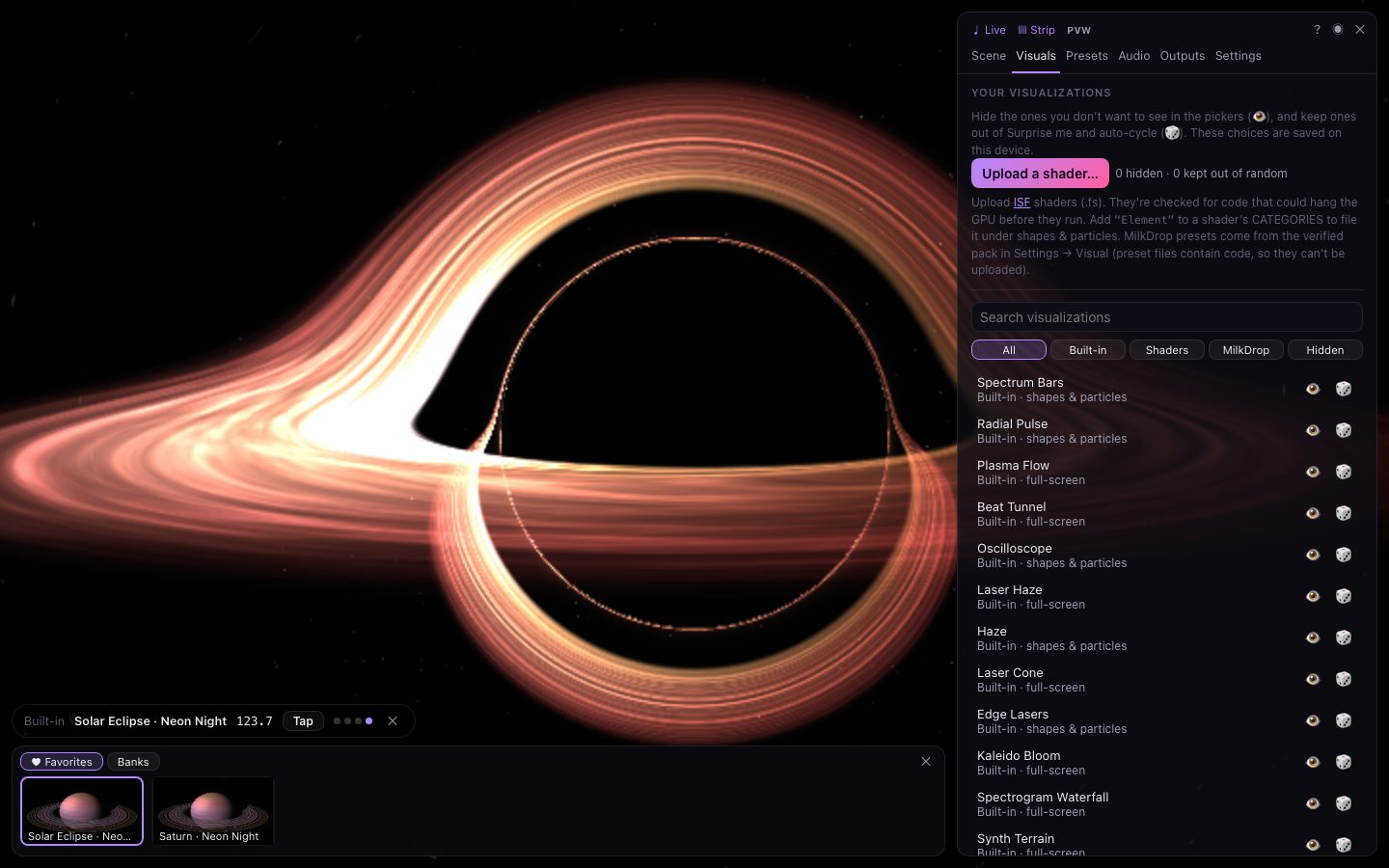
Hide, show and random picks
Each visualization in the list has two switches:
| Button | What it does |
|---|---|
| Shown in the pickers. Click to hide it; hidden ones show and disappear from the Scene tab's lists. | |
| Can come up in Surprise me and auto-cycle. Click to keep it out of random picks — you can still choose it by hand. |
Use Search and the filters (All, Built-in, Shaders, MilkDrop, Hidden) to find things; Hidden lists everything you've hidden, so you can bring it back. These choices are saved on this device.
Hiding never affects presets: a preset that uses a hidden visualization still shows it.
Uploading your own
Press Upload a shader… and choose one or more ISF shader files (.fs). You can also drop them anywhere on the page, or import them from the Presets tab.
- Shaders are checked for code that could hang the graphics card before they run; anything unsafe is refused with an explanation.
- Uploaded shaders appear in the pickers with an ISF badge, and can be deleted here ().
- To file one under shapes & particles, add
"Element"to itsCATEGORIES. - They're stored in your browser on this device, and included when you Export everything from the Presets tab.
Thousands of ISF shaders are available from the ISF community, and you can write your own — see Writing your own shaders.
MilkDrop presets
The classic Winamp MilkDrop presets are available too, through the open-source Butterchurn engine. Turn on Settings → Visual → Classic MilkDrop presets: the community preset pack (about 0.6 MB) downloads once, is checked against a fingerprint so it can't have been tampered with, and is then available offline.
MilkDrop presets appear in the pickers when you search or press Show … MilkDrop presets. They're always full-screen visualizations.
MilkDrop preset files can't be uploaded, because they contain code; only the verified pack is loaded.